Getting the client onboarding process right can mean the difference between smooth shoots and chaotic, unpaid headaches. A clear, structured onboarding workflow sets expectations, protects your time, and builds trust from the very first interaction. It ensures everyone is aligned on scope, timelines, usage, and payment—before the camera even comes out.
From the initial enquiry to contracts, deposits, shoot preparation, and final delivery, each step plays a very important role in how efficiently you work. Here’s how to streamline your workflow so you can spend less time chasing details and more time creating great work.
The Essential Onboarding Steps
Initial Inquiry Response (Within 24 hours)
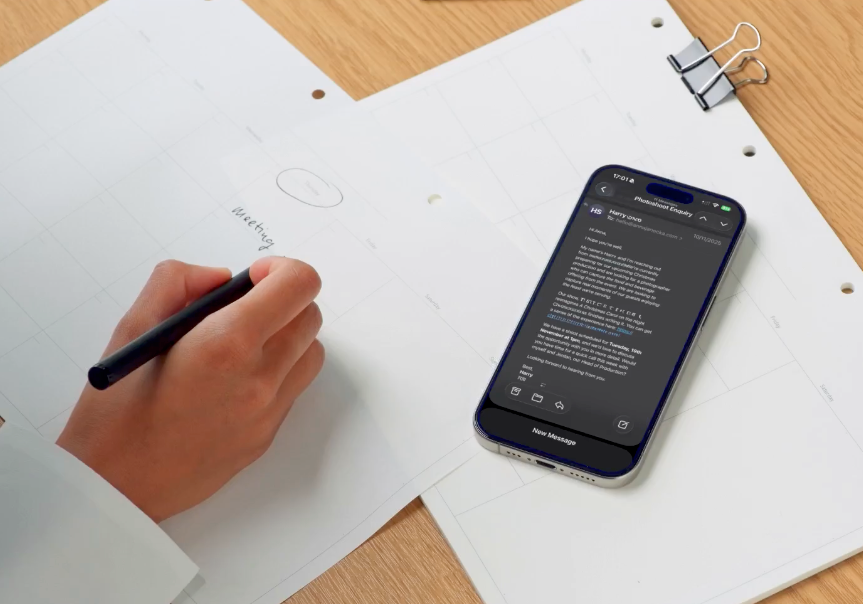
When a potential client reaches out, respond quickly with enthusiasm and professionalism. Speed matters—many clients contact multiple photographers, and the first responder often has the advantage.
Thank them for their interest, then ask strategic qualifying questions, if they didn't mention in the enquiry email they sent you.: What's the project scope? How many final images do you need? What's your timeline and deadline? Where will images be used (social media only, or commercial advertising)? Do you have a budget in mind? Be firm about budgets. Clients almost always have a budget set beforehand. Knowing it upfront allows you to create a solid, realistic proposal and avoids wasting time on “Oh, sorry, that’s above our budget.” When you understand how much they’re prepared to spend, you can come to the table prepared—clearly outlining what you can offer in return and shaping the project accordingly.
These questions serve multiple purposes. They help you determine if you're the right fit, whether their timeline works with your schedule, and if their budget aligns with your pricing. They also demonstrate your expertise—clients appreciate it when you ask thoughtful questions rather than immediately quoting a price. If it seems like a good match, suggest a brief call to discuss their vision in detail. If the project isn't right for you, be honest and perhaps recommend another photographer. This builds goodwill and professional reputation. Believe it or not, I’ve recommended other photographers a few times in my career. We have to be realistic and honest—with ourselves and with the client.
Discovery Call or Meeting
Before sending any proposal, have a real conversation. This 20-30 minute call is where you build a relationship and gather crucial information. Start by asking them to describe their brand, their target audience, and what feeling they want their images to evoke. Listen carefully—clients often reveal important details when they're talking freely.
Understand their specific needs: Are they a restaurant needing menu photos where accuracy is crucial? A food brand launching a product where lifestyle storytelling matters? A cookbook author needing volume work on a tight budget? Each requires different approaches, pricing structures, and deliverables.

Use this time to educate them about your process, especially if they're new to professional food photography. Explain how food styling works, why you might need multiples of each dish, or how long certain setups take. Address common misconceptions (no, you can't just "make it look good in Photoshop" if the food arrives dried out). This education prevents frustration later and positions you as the expert.
Also, discuss potential challenges: Do they have a kitchen on-site? Is natural light available? Will their team need to approve shots during the session? Understanding logistics now prevents shoot-day disasters.
Project Proposal
Send a detailed, professional proposal within 24-48 hours of your discovery call while you're fresh in their mind. This isn't just a price quote—it's a document that demonstrates your professionalism and protects both parties.
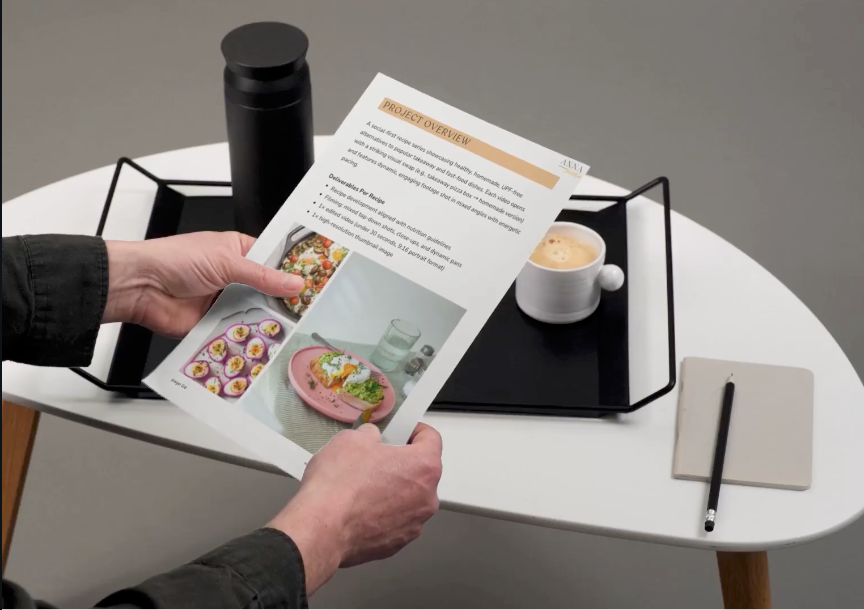
Structure it clearly: Start with a project overview that reflects what they told you (this shows you listened). Outline specific deliverables with numbers: "20 fully edited high-resolution images, not 'some photos." Include your timeline with specific dates: shoot date, editing completion, and delivery date.
Break down what's included in your rate: your shooting time, styling, prop sourcing, editing, colour correction, and basic retouching. Then list optional add-ons with clear
pricing: rush delivery (add X),additionalimagesbeyondthepackage(X), additional images beyond the package (X),additionalimagesbeyondthepackage(X per image), extended usage rights (£X), props rental if you're providing specific items.
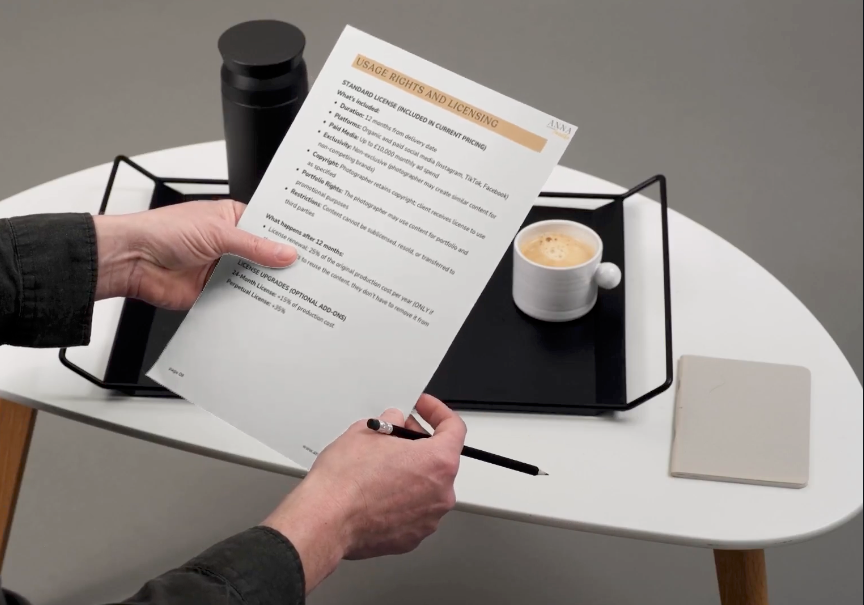
Be transparent about usage rights. Will these images be for their website and social media for one year? Perpetual use? Commercial advertising with extended licensing fees? Many clients don't understand that photography licensing affects pricing, so explain it simply.
State your revision policy clearly: "Includes one round of revisions to selected images. Additional revision rounds billed at X per hour." This prevents endless tweaking.
End with clear next steps: "To secure your shoot date, please sign the attached contract and submit the 50% deposit by [date]. Your date is not confirmed until both are received."
Contract and Deposit
Never, ever shoot without a signed contract and deposit. Your contract is your safety net, protecting your time, your work, and your payment. Digital signature tools make this easy for clients to sign and return quickly.
Essential contract elements: both parties' names and contact information, project description and shoot date, total fee and payment schedule (typically 50% deposit upon signing, 50% upon delivery), detailed deliverables,

usage rights and licensing terms, timeline including delivery date, cancellation and rescheduling policies with associated fees, what happens if the shoot runs over the agreed time, revision policy, and what happens if either party breaches the agreement.
Include specific scenarios: What if they cancel two days before? What if the weather forces a location shoot postponement? What if they add five extra shots on shoot day? Having these answers in writing prevents arguments and awkward conversations.
Your deposit serves multiple purposes. It secures your calendar—you're turning down other work for their date. It demonstrates their commitment—serious clients don't baulk at deposits. And it filters out problem clients—if someone won't pay a deposit, they likely won't pay the final invoice either.
Pre-Production Planning
Once booked, immediately send your welcome guide that outlines what happens next. This document sets expectations and gets clients excited about the process.
Schedule a pre-production call or meeting 1-2 weeks before the shoot. This is where you finalise every detail. Review the shot list together—have them prioritize must-haves versus nice-to-haves. Discuss styling direction using mood boards or reference images. Confirm who's handling what: Are they sourcing all ingredients? Do you need to rent specific props? What about backgrounds and surfaces?
Create a detailed shot list document that both parties agree on. This becomes your roadmap on shoot day and prevents "but I thought you were getting X" situations. Include notes about each shot: styling approach, props needed, priority level.
Confirm logistics: exact shoot location and address, load-in time and access, parking situation, available prep space if needed, who will be present from their team, and any building access codes or contact numbers. If it's a location shoot, visit beforehand if possible to assess the lighting and space.
Discuss food timing: What needs to arrive fresh the morning of? What can be prepped the day before? Which dishes photograph best first (delicate garnishes, items that melt, things that brown)? Create a cooking and shooting schedule.
Send calendar invites for everything: the shoot, any prep meetings, when you need their shot list finalised, and when they should expect image delivery. Professional project management impresses clients and ensures nothing falls through the cracks.
Post-Shoot Delivery
After the shoot, follow your stated timeline religiously. If you promised images in two weeks, deliver in two weeks or early—never late without communication.
Select and edit images to your highest standard. Deliver through a professional gallery system (Pixieset, Pic-Time, Google Drive/Dropbox, or similar) that allows easy viewing, selection, and downloading. Include clear instructions: how to download, what file formats they're receiving, any usage restrictions, and when final payment is due.
Your delivery email should be warm and professional: thank them for trusting you with their project, express that you enjoyed working together, and include your final invoice with clear payment instructions and due date.
If you included a revision round, explain the process: "Please review all images and send me your revision requests by [date] in a single email. I'll complete revisions within 5 business days."
Follow up a few days after delivery to ensure they received everything and have no issues. Then, after the final payment is received, send a genuine thank-you note. Mention something specific you enjoyed about working together.
A week or two later, request a testimonial if the project went well.
Document everything for your own records: what worked, what could improve, how long different setups took, and any challenges. This information makes you more efficient and helps you refine your process for the next client.
Essential Templates Every Food Photographer Needs
When you're starting, you're wearing every hat: photographer, stylist, bookkeeper, and salesperson. Having professional templates saves hours of administrative work and ensures you don't forget crucial details. Here are the must-have documents that will transform your client experience.
Welcome Guide Template
A welcome guide walks clients through your process, sets expectations, and answers common questions before they're asked. For food photographers, this should include: your shooting process timeline, what clients need to prepare (fresh ingredients, brand guidelines, shot list), styling approach, and what happens on shoot day. A polished welcome guide immediately establishes professionalism and reduces back-and-forth emails.
Project Proposal Template
Stop creating proposals from scratch. A standardised template ensures you cover all bases every time: project scope, deliverables, timeline, usage rights, pricing breakdown, and payment terms. Include sections for optional add-ons like rush delivery, extra editing, or additional setups. This not only saves time but often increases project value when clients can easily see and select extras.
Pre-Shoot Questionnaire
This template gathers all essential information in one place: shot list priorities, brand colours, competitor references, food sourcing responsibilities, location details, and any dietary restrictions if you're styling. Completing this form before the shoot prevents last-minute surprises and ensures expectations are met.
Shot List and Planning Template
A structured shot list template helps clients organise their thoughts and ensures you capture everything needed. Include columns for shot description, styling notes, props needed, priority level, and intended use. This becomes your roadmap on shoot day.
The Bottom Line
A solid onboarding process isn't just professional courtesy—it's how you protect your business, set boundaries, and create an experience that turns first-time clients into long-term collaborators. Whether you're using Spring templates or building your own systems, the key is consistency. Every client should go through the same steps, receive the same level of communication, and know exactly what to expect.